ACDSee Photo Studio Ultimate 2025 brings a lot of new and refined features for photographers and content creators. I’ve used this program for quite a few years with my first video being on version 2018. For this version, Acdsee's marketing firm provided a code to the application based on my usual collaboration terms where the company had no say in what is covered and can't preview anything I produce regarding it before release.
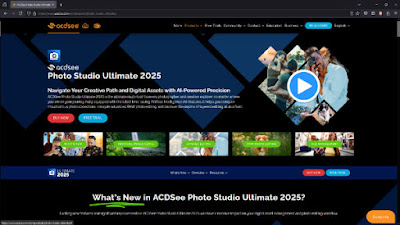 |
| Acdsee's website. |
New Features in 2025
Acdsee has a webpage that lists new features of whatever version is current. Check that out for more information.
The program has had AI Keywords and face detection for a while now. This can be a useful feature, but if you're using an older computer, like mine that has an Intel i7-6700 CPU, you can easily disable these resource-heavy processes using the new Activity Manager.
 |
| The new activity manager. |
They’ve also introduced tabs in the Manage section. This can be useful because it lets you have multiple folder views or searches open at once, making file management more efficient. You can sort by EXIF properties, which is helpful if you work with a variety of cameras like I do.
 |
| Tabs in the Manage... tab. |
Another new feature is AI Super Resolution, which lets you enhance the resolution of older, lower-quality images. Here's a screencap of it being used on a 2-megapixel Canon S200 Digital ELPH camera.
 |
| A screen capture of the result from the super resolution feature on a 2MP photo. |
Manage and Organize
In this section of application, I also use the Comparison Tool often. It allows me to select multiple images, zoom in, and compare them side by side. This is perfect for when I’m reviewing photos for videos or camera lens reviews.
 |
| Comparing images in Acdsee. |
 |
| The HDR tool. |
With the HDR tool you can quickly merge different exposures with just a few clicks. Similarly, Focus Stacking and Panorama Merging are available, making it easier to produce unique images from multiple source files.
All of these feature are pretty simple, so they don't offer much flexibility if you want the results to look a certain way.
Using AI for Keywording and Searches
The AI Keywords feature is great for tagging large photo collections without a huge amount of time and effort from the user doing it manually. I tried this out with a variety of images, and it automatically detected basic keywords like "nature," "tree," or "architecture." While it’s not perfect, it would certainly helpful for finding specific images in a large archive. For example, if I wanted to search for all the pizzas I’ve photographed over the years, I can now easily do so using AI keyword search.
 |
| Pizzas in my test gallery. |
Editing and Developing Photos
I use the Develop Tab as much as the Manage one. You can adjust RAW images and other file types with a large array of tools. They’ve revamped the Masking Tools, giving more options for background adjustments. If you’re like me and work on creating thumbnails or other promotional images, these masking options could be useful to quickly modify something for that use case.
 |
| Working with a pizza in the Develop tab. |
 |
| Further editing the same pizza in the Edit tab. |
For more editing options and layer based editing, the Edit Tab is there as well. You’ve got access to tools like background blur and one-click masking, and you can even add text or watermarks to your photos.
People Management and Face Detection
One of the more impressive features is the People Tab. ACDSee automatically detects and groups faces. Allowing you to label what it finds. Over time, this should make it easier to organize my photos to quickly find people from specific events or photoshoots. At some point I'd like to run their processing on a copy of my entire photo archive and see what happens.
 |
| The face tool in action. |
Windows Integration
Another feature I find helpful is ACDSee's integration into Windows File Explorer with PicaView. This allows you to preview files, such as RAW images, that don’t normally show up as icons in the Explorer window. From the preview, you can jump directly into ACDSee for a deeper look or further editing. I find this useful when I’m browsing through folders and need to spot-check certain files without having to fully launch the application.
 |
| Windows integration for a preview. |
Suggestions for the Developers of ACDSee
- Make the program play more nicely with Windows. This could be my old computer, but I'm not sure. Basically when doing high compute intensive tasks like pasting process settings for hundreds of photos, the program will effectively lock up until that task is done. It doesn't crash but locking up the program where it sits there and I can't move the window it or interact with it isn't ideal. I'd like to see the program's interface always stay responsive. This could also play into their new tab feature in Manage...
- Make the new tabbing feature in Manage threaded. For example, if one tab is doing a photomerge then I could be doing something else in a different folder like pasting develop settings. Obviously a fast computer is needed, but the tabs should be effectively self contained. Again, it would ideal if no processing task would effectively lock up the program. They could add each tab/task dynamically to the Activity Manager while processing is happening.
- Export presets appear to not be transferred over from a previous version of Acdsee. I also think Acdsee should transition from using registry values to local XML files, probably placed in the user directory, but make it easily accessible with a button in the program settings. I see that they have an input option in settings, but it didn't appear to copy over those export types I've made in the previous version unless I missed something. I've got some with actions to apply watermarks, so it's a pain to have to re-do them.
- I'd like to be able to filter by people or no people in Manage. Maybe it's possible, but I haven't figured it out yet.
- In the "Develop" >> "Geometry" >> "Crop" area, I often want to turn a landscape photo or portrait photo into the opposite. I select "Custom..." in the aspect ratio drop-down list. To get it to swap I have to put the opposite values even if it's a ratio already in the list and the program prompts me to use an existing one, even though the existing one won't work because I'm swapping the ratio. I'd like that designed to be more intuitive for that use case...
 |
| The pop-up that happens even though the ratio in the list is the opposite of what I want. |
Final Thoughts
ACDSee Photo Studio Ultimate 2025 is packed with features for photographers of all skill levels. Whether you’re focused on managing large collections of photos or you need advanced editing tools, this software offers a lot. For me, the "digital asset management" (DAM) features alone make it worth using, but the enhanced AI tools, tab management, and editing options are what really set it apart.
I’ve been using ACDSee for years. This latest version continues adding to its feature set. It's nice to see practical features added like the Activity Manager. If you’re looking for an Adobe or similar software alternative, ACDSee Photo Studio Ultimate 2025 is worth trying out.
Visit their website directly or use my affiliate link to Acdsee if you are curious about the application or whatever else they offer. With that affiliate link I will potentially earn a small percentage of any purchases or subscriptions.